
Function Library
There are a large number of functions and methods available to be used for module logic. The list of functions is shown in the top panel:
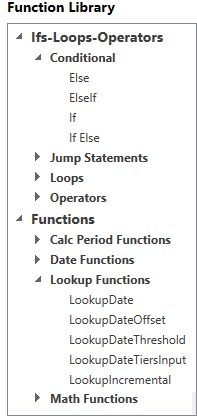
They are categorized as follows:
- Ifs–Loops–Operators: standard structural elements of programming such as conditionals and loops.
- Functions: Objects that return values and usually have arguments for inputs. Some are standard programming functions ('Max', 'Len', etc.) and others are specific to Planning Space ('LookupDate', 'GetPrice', etc.).
Note that functions are case-sensitive.
If you click a function name, information about it (a brief explanation of the function's purpose along with any required arguments) appears in the Function Guide panel.
To place a function into the Logic Editor, you can double-click the name of the function, or drag it from the Function Library into the Logic Editor, or start typing directly in the Logic Editor where the intellisense will provide completions.